 Orlim
OrlimYou make.
Orlim keeps
an eye out.
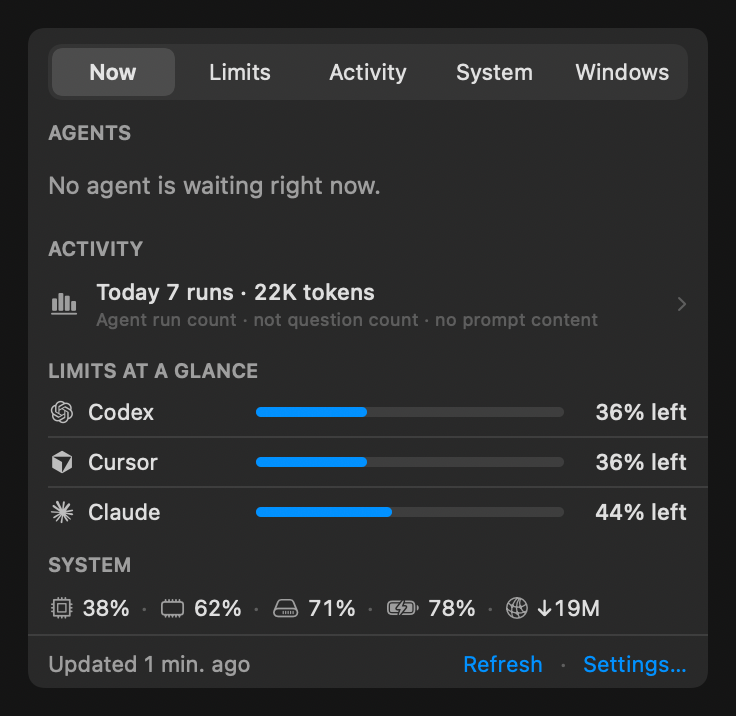
Meet Orlim, your Mac companion for AI coding. Usage limits, coding activity, and system health, just a glance away.
See Orlim in actionmacOS 13+ Apple Silicon & Intel
Your usual tools. One new friend.
- Codex
- Claude
- Cursor
- Gemini
A little less
on your mind.
Ever stop mid-thought to check a limit? Orlim brings the little things together, so you can stay with the idea.
A heads-up, before the hold-up.
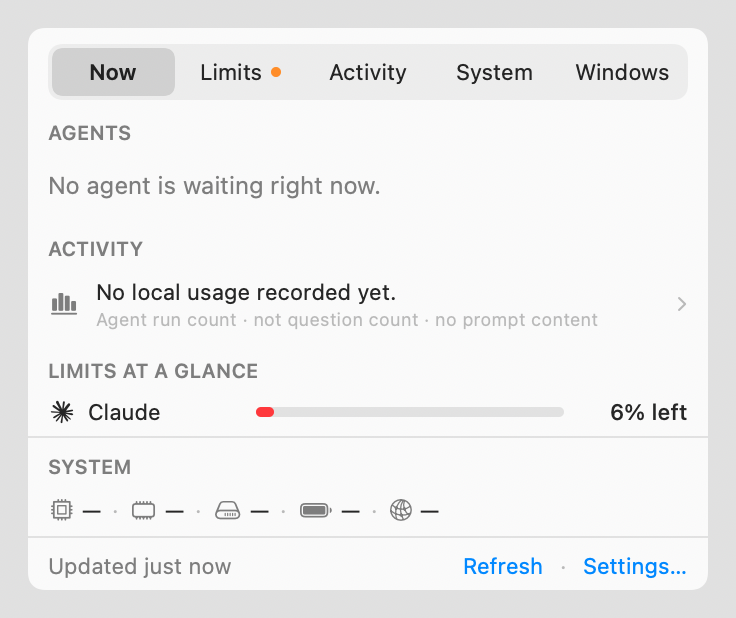
One place to see what’s left across your connected providers. A little awareness now can save an unwelcome surprise later.
Available limits depend on your provider and connection.
Look at you, making progress.
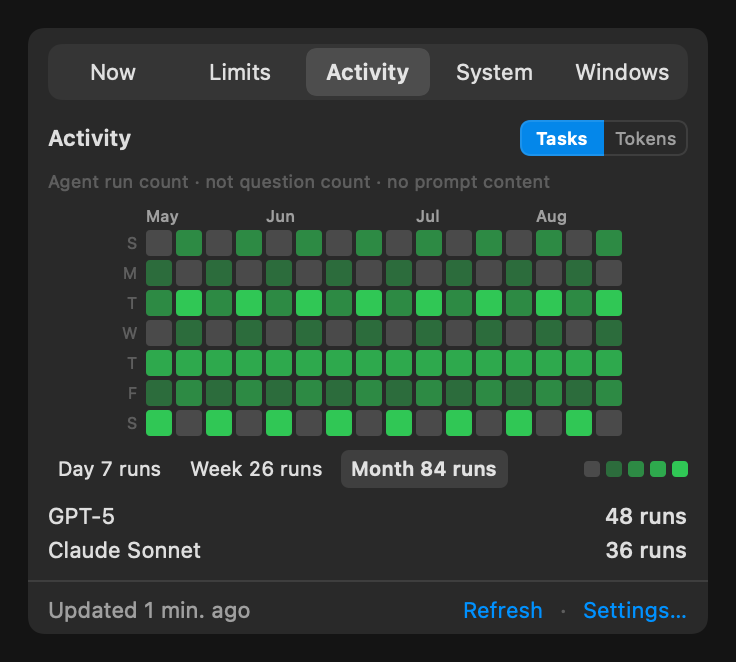
Check task and token activity across your coding tools. Switch between daily, weekly, and monthly views in the app to find your rhythm.
Activity summaries, without displaying your prompts.
How’s your Mac holding up?
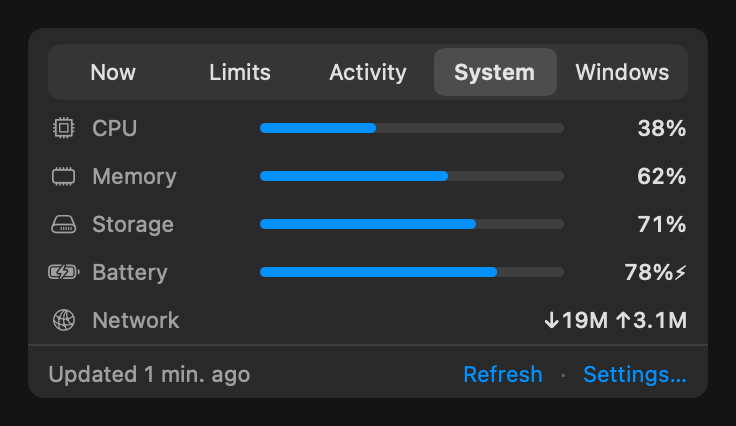
CPU, memory, storage, battery, and network readings put your workstation in context—right beside your coding activity.
System readings come from your Mac.
Made for macOS
Feels right
at home.
A menu-bar regular. A desktop neighbour. Built with AppKit and SwiftUI to fit the Mac you already know.
- A quick hello
- Pop open the menu bar, check in on your tools, and get back to it.
- A familiar face
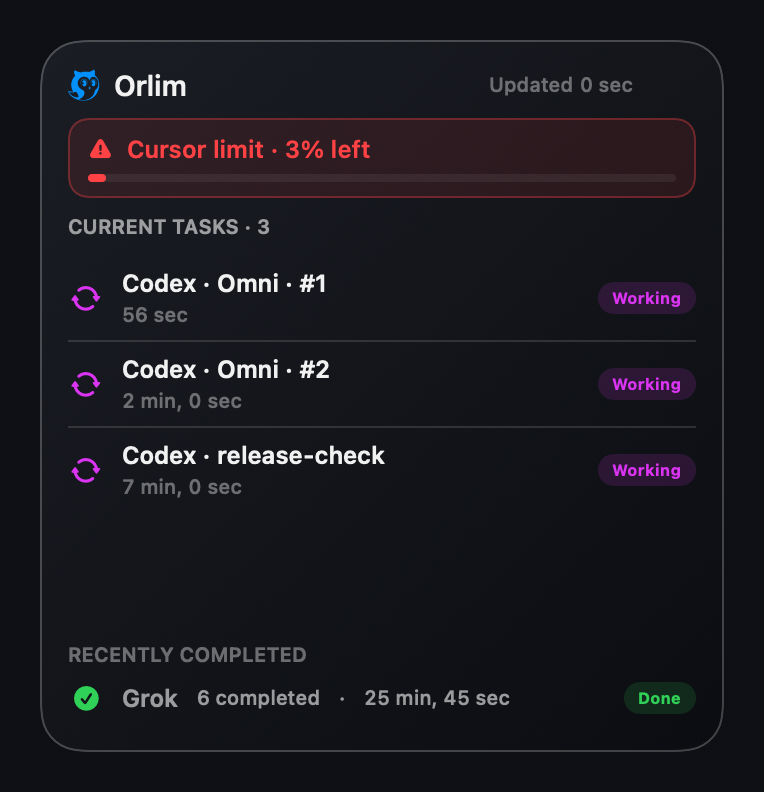
- Keep urgent limits and current tasks in sight with the Orlim Flow widget.Desktop widgets require macOS 14 or later.
- A shortcut away
- Arrange windows, move between displays, and find your layout with global shortcuts.
Close to you. Kept by you.
Your Mac.
Your business.
Your coding activity, settings, and system context stay on your Mac. Usage requests go directly to the providers you connect.
Credentials you add to Orlim are stored in macOS Keychain. The widget receives a local summary, without credentials or prompt content.
Read the privacy detailsGo make
something good.
A little company for your next big idea. Ask us about getting Orlim on your Mac.
Ask about Orlim Or visit our contact page