Engineering
12 Mar 2026
By Jambo Team
Published on 20 Oct 2026
It usually happened right in the middle of a deep refactor.
You would spend thirty minutes guiding Claude Code or Codex through a tricky feature. The agent finally had the entire problem, your recent edits, and every failing test loaded into its active context. Then, right before the final pass, the terminal would freeze: "Usage limit reached. Resets in 3 hours 42 minutes."
And then came the real productivity killer: the manual context rebuild. Switching to another AI coding tool meant opening a cold session in Codex, Cursor, or Gemini and re-explaining the entire task from scratch—what you were trying to build, what had already been changed, and what still needed fixing. Worse, if you tried to switch from your personal account to your work subscription by logging out, you had to go through the whole browser sign-in dance all over again.
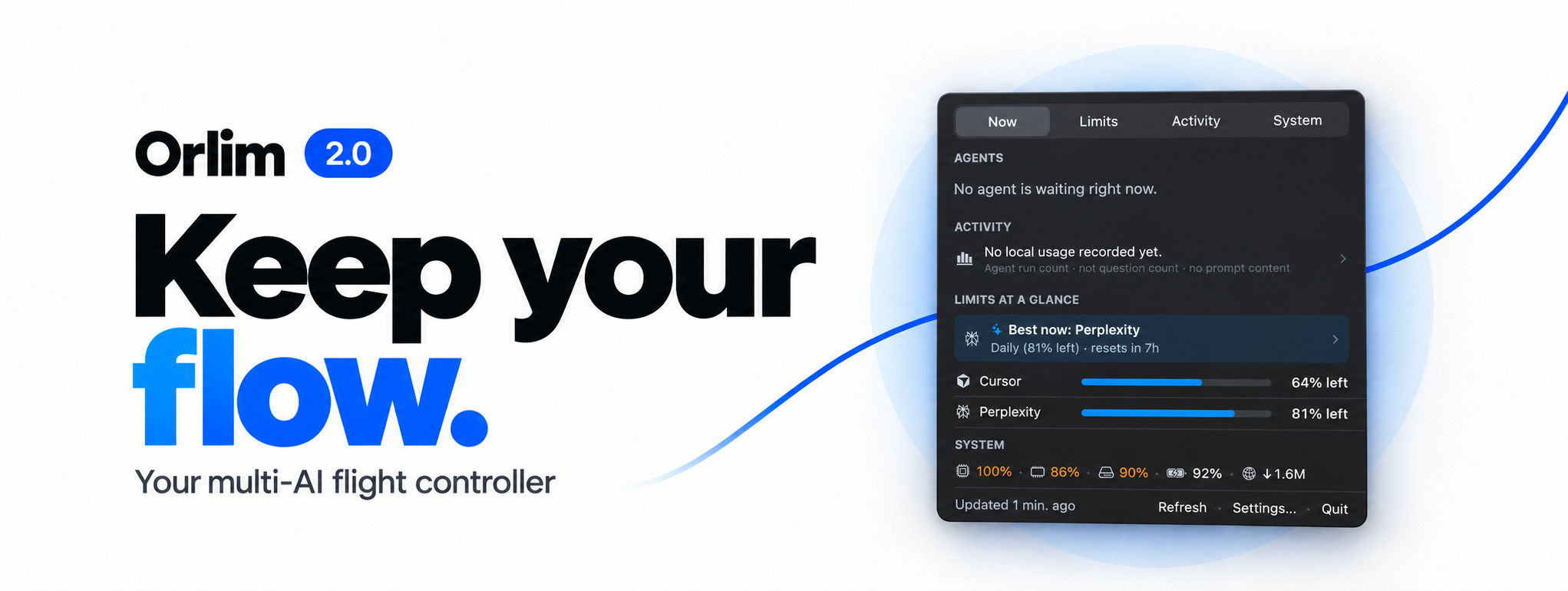
We knew this was a frustrating experience. Modern developers don't rely on a single AI coding tool anymore; we work across a fleet of them. While Orlim 1.0 gave us a clean macOS menu bar gauge to see our usage limits, passive visibility wasn't enough. We needed an active copilot that could guide us to the best available tool, carry our context across agents, and make sure paid capacity never went to waste—which led us to build Orlim 2.0.
But evolving a simple menu bar monitor into an active multi-AI flight controller without turning it into a cluttered dashboard turned out to be a massive UX and product challenge.
We didn't just want prettier progress bars that warned you an agent was out of quota five seconds before it stopped responding. We wanted to eliminate dead-end coding sessions and wasted subscription capacity altogether.
Most developers today juggle multiple subscriptions—a 5-hour rolling window here, a weekly allowance there, separate model pools for fast vs. deep reasoning, and work vs. personal accounts. Keeping track of all those moving clocks in your head while trying to ship product is exhausting.
The mandate for Orlim 2.0 was simple in theory: Always tell the developer which AI to use right now, and let them switch tools mid-task in a single click. But as we soon discovered, that promise created a fascinating design paradox.
The core tension in designing Orlim 2.0 wasn't a debate over colors or icons. It was a philosophical question between Design and Engineering: How much information can you show before a two-second glance turns into cognitive overload?
When you track rolling 5-hour windows, weekly limits, model-specific pools, prompt-cache timers, and per-project usage across multiple providers, the data adds up fast. Technically, users might want to inspect every number. Psychologically, when you are deep in flow, you don't want to do mental math—you just want a clear answer.
We went through three distinct iterations of the Orlim 2.0 interface:
 Product Challenges: Context Loss, the Logout Trap, and Alert Fatigue
While Design refined the visual hierarchy, we hit three practical workflow walls that every heavy AI user runs into.
First was the "resume tax" on idle sessions. AI coding tools keep your active project context warm for about an hour. If you step into a meeting or get pulled into a code review for sixty-five minutes, that warm cache expires—meaning your next prompt re-processes the entire project from scratch and burns through your quota much faster. We needed a way to make that invisible 60-minute clock visible before it expired.
Then came the multi-account logout trap. Many members of our team have both a personal AI subscription and a company-provided one. Normally, switching between them means logging out of one account and logging back into the other, which interrupts active sessions and forces repeated browser logins. We had to rethink account management so you could save named profiles—like Work and Personal—and swap between them with one click in the menu bar.
Finally, there was alert fatigue. Nobody wants their menu bar pinging them every ten minutes while they are trying to focus. When we introduced "use-it-or-lose-it" harvest alerts to remind users about unused quota before a window reset, we made sure users could scope notifications to match how they actually work—whether that's weekly resets only, 5-hour windows only, or both.
The real "aha!" moment of Orlim 2.0 came when we asked ourselves: What happens the second after Orlim warns you that your current AI is running low?
Warning a developer that Claude is at 96% still leaves them stranded in the middle of a task. The breakthrough was realizing that Orlim didn't just have to warn you—it could pack your bags and move the task for you.
We built One-Click Cross-Agent Handoff. Now, when one AI agent is running low on quota or hitting a wall, you click Handoff right on the active session. Orlim automatically puts together a clean, structured handoff brief—capturing your current goal, the branch you're on, the files you recently touched, and a summary of progress so far—copies it to your clipboard, and opens your next AI tool so you can paste and keep moving without missing a beat.
We paired this with another everyday workflow win: Morning Window Priming. Rolling 5-hour usage windows only start counting down when you send your first prompt of the day. If you start coding at 9:30 AM, your quota doesn't reset until 2:30 PM. With Morning Auto-Prime enabled, Orlim gently starts your idle 5-hour window early in the morning—only when your quota is completely untouched and healthy—so your first reset happens right around lunchtime, giving you a fresh window for the entire afternoon.
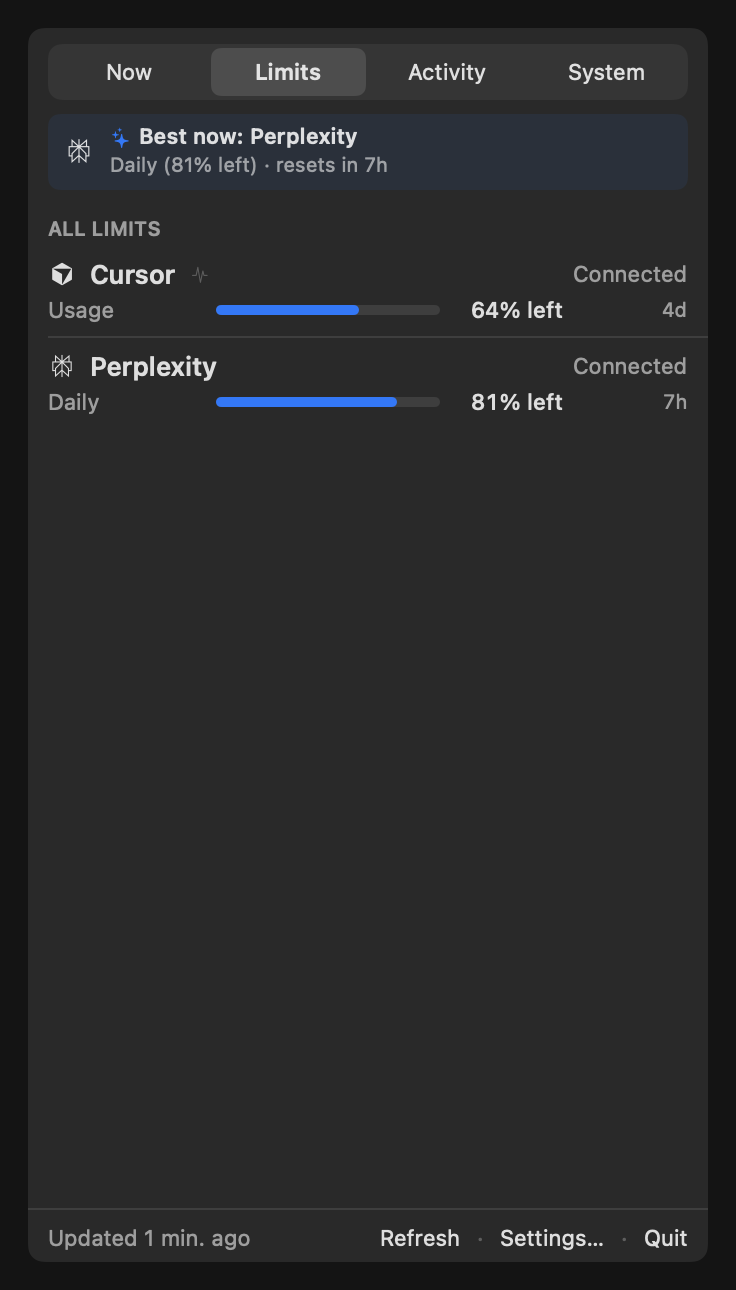
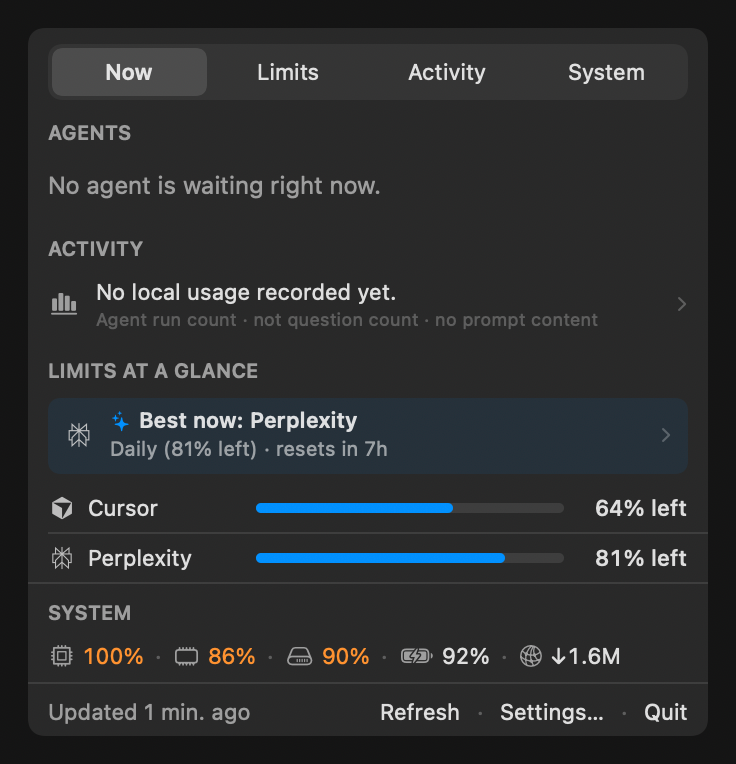
Orlim 2.0 brings together everything a developer needs to manage multiple AI coding tools from a single place in the macOS menu bar:
Even with all the new intelligence packed into v2.0, Orlim remains fast, quiet, and lightweight in the macOS menu bar—and now includes smoother in-app updates so staying on the latest release is effortless.
Looking back, the biggest takeaway from building Orlim 2.0 wasn't about usage percentages; it was about protecting developer flow. Rate limits, expired context windows, and account-switching friction are invisible taxes that pull builders out of deep focus. By treating multi-AI workflow as a design problem first, we built a tool that stays out of your way until the exact moment it can save your afternoon.
We finally put an end to the mid-refactor rate-limit stall and the dreaded context rebuild.
Ready to take control of your AI coding workflow? You can download or upgrade to Orlim 2.0 right now:
brew install --cask jambo-company/tap/orlim12 Mar 2026

8 Jun 2026

17 Jul 2026